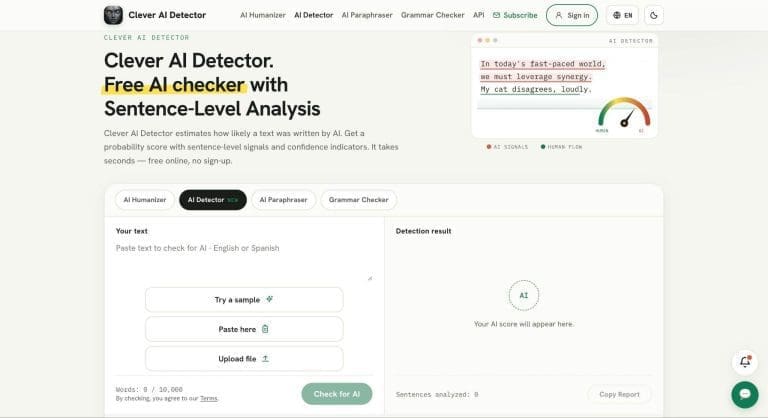

September 29, 2026 (STL.News) Clever AI Detector promises a lot for a free tool: checks of up to 10,000 words, no required account, unlimited scans, and sentence-level analysis alongside an overall AI probability. That makes it appealing if you have already come across the tool but want to know what you actually get before relying on its results.
In this Clever AI Detector review, we look at how the checker works, how it performed across 30 AI, edited-AI, and human texts, where it performs well, and where its limitations start to matter. We also compare its free access with GPTZero, QuillBot, and Copyleaks to see whether it is worth using in 2026.
Quick Verdict: Is Clever AI Detector Worth Using?
For writers, editors, bloggers, and publishers who want a free first-pass AI content detector, Clever AI Detector is easy to recommend trying. Its 10,000-word limit is considerably more generous than many free alternatives, and sentence-level signals make the result more useful than a single AI percentage.
Its biggest limitation is the same one affecting the entire category: an AI detector cannot prove who wrote a text. Clever AI Detector itself presents its result as a probability rather than proof, which is the right way to interpret it.
| Feature | Clever AI Detector |
| Price | Free |
| Limit per check | Up to 10,000 words |
| Usage limit | Unlimited runs, subject to service availability |
| Account required | No |
| Minimum length | 80 words |
| Languages | English and Spanish |
| Result | AI probability, confidence level, and sentence-level signals |
| Best for | Writers, editors, bloggers, publishers, and individual text checks |
| Main limitation | Two languages, and results should not be treated as proof |
These specifications are current as of September 2026 and may change as the service develops.
What Clever AI Detector Is and How It Works
Clever AI Detector is a web-based tool designed to check text for AI without requiring a subscription. You paste text into the detector or upload a file, run the scan, and receive an overall AI probability together with signals for individual sentences.
A result of 90% does not mean that exactly 90% of the words were generated by a language model. It means the statistical characteristics of the text strongly resemble patterns the detector associates with AI writing.
According to Clever AI Detector, its model looks at signals such as predictable word choices, unusually regular writing rhythm, and phrasing patterns commonly produced by generative models. Each sentence is analyzed before the results are combined into the overall score.
Using the detector is straightforward. Paste or upload at least 80 words, select “Check for AI,” review the overall probability, and then look at the highlighted sentences instead of relying only on the headline number. An optional account adds a history of previous checks, but it is not necessary to run a scan.
An overall score tells you that something looks unusual. Sentence-level analysis gives you somewhere to start investigating why.
Is Clever AI Detector Accurate?
To see how Clever AI Detector performs outside its own published benchmarks, we tested it on 30 texts designed to represent three common situations: untouched AI output, AI-generated writing that had been manually edited, and genuinely human writing.
The test set included:
- 10 raw AI-generated informational texts
- 10 manually edited versions of those AI texts
- 10 human-written control texts
The topics ranged from public libraries and urban green spaces to remote work, personal budgeting, sleep, museums, and online shopping.
This was a practical test rather than a scientific benchmark. With 10 samples in each category, the results should not be treated as universal accuracy rates.
Our Results: 10/10 on Raw AI, but 3/10 After Human Editing
Clever AI Detector correctly flagged all 10 raw AI-generated texts as AI. On straightforward, untouched AI output, it therefore scored 10/10 in our test.
The harder test came after those texts were manually edited. Once sentence structure, wording, transitions, and other obvious AI patterns had been changed, Clever AI Detector identified only 3 of the 10 edited texts as AI-generated. The remaining seven were classified as human.
On the human-written control set, however, Clever AI Detector performed much better: all 10 human texts were correctly identified as human. We did not encounter a false positive in this part of the test.
| Test category | Clever AI Detector result |
| Raw AI detected | 10/10 |
| Edited AI detected | 3/10 |
| Human text correctly identified | 10/10 |
| Correct classifications across all 30 samples | 23/30 |
That gives Clever AI Detector 23 correct classifications out of 30 under our test rules. It shows that Clever AI Detector was highly reliable with obvious AI and human writing in this sample, while manually edited AI was substantially harder to detect.
False Positives and False Negatives Still Matter
Our test highlights two different ways an AI detector can be wrong.
A false positive happens when genuinely human writing is labelled as AI-generated. Clever AI Detector produced no false positives among our 10 human samples, which is encouraging, although a set this small cannot establish its false-positive rate across different types of writing.
The false-positive problem has also been studied outside product testing. Stanford researchers examining seven detectors found that 61.22% of 91 TOEFL essays written by non-native English speakers were classified as AI-generated. Eighteen of the 91 essays were flagged by all seven detectors. It demonstrates why false positives can have serious consequences when detector results are used without context.
A false negative happens when AI-generated text is classified as human. This was Clever AI Detector’s main weakness in our test: seven of the 10 manually edited AI texts were no longer detected. This shows why a positive result should never be treated as proof that a particular author used AI.
A note on Clever website’s own benchmark: Clever AI Detector has also published a much larger test using the independent Generative Essay Detection in Education, or GEDE, academic dataset. In that vendor-run benchmark, it reports a 96.7% overall detection rate, including 94.7% on AI-improved human drafts and 92% on humanized AI text. Those results are considerably stronger than what we saw on edited AI in our smaller test. The dataset itself is independent, but the product testing and published results come from Clever AI Detector, so they are best treated as vendor benchmark data rather than an independent review.
What Clever AI Detector Does Well
It Was Reliable on Clear-Cut AI and Human Texts in Our Test
Clever AI Detector performed best when the distinction between AI and human writing was clear. It correctly flagged all 10 raw AI-generated texts in our test and also correctly identified all 10 human-written control texts as human.
That means we saw no missed detections on untouched AI output and no false positives in the human control group. For straightforward checks, where the text has either been generated by AI with little or no editing or written entirely by a person, Clever AI Detector produced consistent results across our sample.
The picture became less clear once AI-generated text was manually edited, which we discuss in the limitations section below. But for obvious AI output and genuine human writing, its performance in our test was strong.
The Free Version Is Actually Usable
The strongest practical argument for Clever AI Detector is not an accuracy percentage. It is the absence of the usual restrictions around the free tool.
Users can scan up to 10,000 words in one check without creating an account. Clever AI Detector states that runs are unlimited, subject to service availability, and that the score, confidence indicators, and sentence-level signals are included without a paid upgrade.
That makes it practical for full articles, essays, reports, and longer submissions rather than only short excerpts.
For someone reviewing freelance content or a long blog post, cutting a 2,000-word article into several fragments can make the workflow slower and may also remove some of the context a detector uses to assess writing patterns.
Sentence-Level Signals Make the Result More Useful
A headline probability can tell you that a document needs closer attention, but it cannot explain where the concern comes from.
Clever AI Detector highlights sentence-level signals so users can identify the parts of a document contributing to the result. That makes the detector more useful for editorial review because you can compare suspicious sections with the rest of the writer’s work instead of treating an entire document as one block.
This is particularly helpful with mixed text. A writer may draft most of an article manually and use AI to rewrite only a few paragraphs, or they may use AI for editing rather than generation.
It Does Not Pretend the Score Is Proof
One of the better choices in Clever AI Detector’s interface is the wording around its results.
The tool describes its output as a probability and explicitly warns that no AI checker is 100% accurate. That may sound like a small detail, but it encourages the right type of use: the detector provides a signal to investigate, not a verdict about authorship.
For publishers, teachers, and editors, that is a much safer framework than assuming every high score proves misconduct.
Where Clever AI Detector Falls Short
Edited AI Was Much Harder to Catch
Clever AI Detector detected only 3 of our 10 manually edited AI samples. Seven passed as human after manual changes to wording, structure, and transitions. This was the clearest weakness in our test and means a human verdict should not be read as proof that AI was never involved.
Language Support Is Still Limited
The detector currently supports English and Spanish. That covers a large amount of online content, but it is restrictive for multilingual publishers or organizations reviewing material in several languages. Other tools already support broader language sets, so this is one area where Clever AI Detector has room to expand.
You Need at Least 80 Words
Clever AI Detector will not analyze text shorter than 80 words. The company says shorter samples do not contain enough statistical signals for a meaningful score.
That makes sense methodologically, but it also means the detector is not useful for checking a short caption, individual social media post, brief email, or isolated sentence.
Clever AI Detector vs. Other Free AI Checkers
| Tool | Current free access | Account required? | Sentence-level detail |
| Clever AI Detector | Up to 10,000 words per check; unlimited runs | No | Included in free result |
| GPTZero | Basic no-account scan up to 10,000 characters; free plan advertises up to 10,000 words per month | Not for a basic scan; free account required for longer scans | Highlights text it identifies as likely AI-generated |
| QuillBot | Up to 1,200 words per scan; up to 6 free scans per day | No | Sentence highlighting included; free tier includes one detailed explainer card per scan |
| Copyleaks | Up to 25,000 characters without logging in | No for initial scan; free account unlocks fuller analysis and additional credits | Full sentence-by-sentence insights and highlighted phrases require an account |
Note: Features and limits can change quickly. These figures were checked against the companies’ official product pages in September 2026.
This comparison also shows why “free” does not mean the same thing across the category. Some products limit words per scan, others impose monthly or daily allowances, and others reserve detailed explanations for registered or paying users.
Clever AI Detector’s main advantage here is simple: the free version gives enough room to scan an entire long-form article while still showing the sentence-level result.
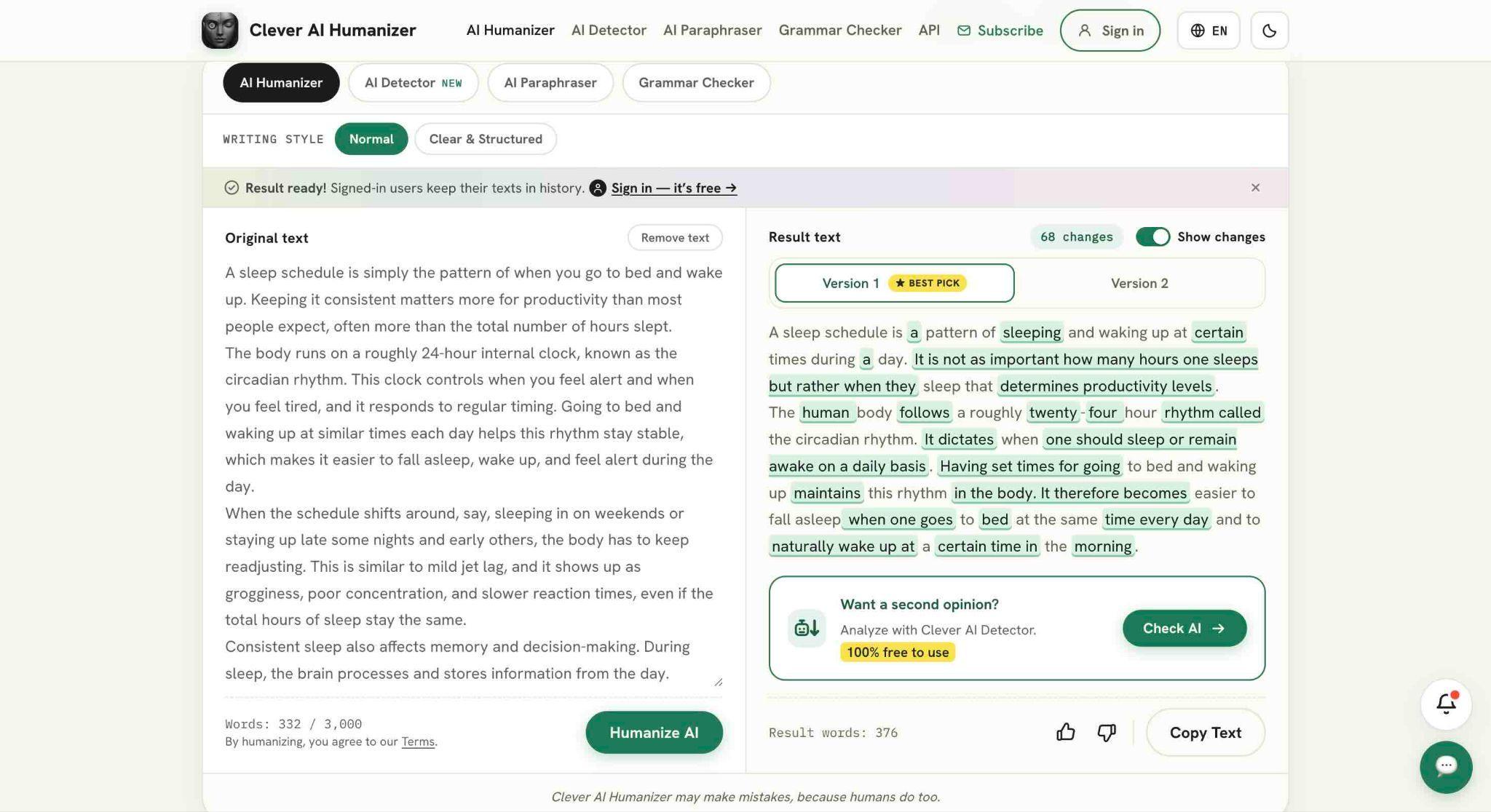
For users looking for a free AI humanizer, the Clever AI Humanizer is intended for improving the tone, sentence structure, and readability of AI-assisted drafts. It currently accepts up to 3,000 words per request, has no fixed monthly word allowance, and offers Normal and Clear & Structured writing styles. It supports English, Spanish, and Portuguese.
There is also a free paraphrasing tool for users who want more control over rewriting. It supports up to 3,000 words, 25+ languages, 22 styles, four rewrite-strength levels, and a Freeze Words option for names, brands, keywords, or technical terms that should remain unchanged.
For proofreading, Clever also offers a free Grammar Checker. It checks grammar, spelling, punctuation, clarity, style, word choice, and consistency in texts of up to 3,000 words. Instead of applying corrections automatically, it explains each suggested change and lets users accept or dismiss fixes individually. The tool supports more than 25 languages and also provides writing scores for grammar, clarity, style, and readability.
Together with the Clever AI Humanizer and AI Detector, these tools cover several stages of the editing process: checking whether text shows AI patterns, rewriting or paraphrasing it, and then reviewing the final version for language and style.
What to Do If Your Text Gets Flagged as AI
A detector result should start a review process, not end one.
First, make sure the sample is long enough to produce a meaningful result. A short paragraph gives an AI content detector much less information than a complete article or essay.
Then look at the sentence-level signals rather than only the final percentage. If a handful of formulaic sentences are driving a high score, that is different from seeing the same pattern across an entire document.
Where authorship has real consequences, use evidence that exists outside the detector. Version histories in Google Docs or Microsoft Word can show how a document developed. Earlier drafts can demonstrate the writing process. Previous writing samples can provide useful context. An editor or teacher can also ask the author to explain an argument or sourcing decision from the text.
And if AI use is restricted, the rules should be clear before work is submitted. It is difficult to enforce a standard fairly if writers, students, or freelancers were never told what kinds of AI assistance were acceptable.
This is particularly important because research has shown that false positives can affect certain groups disproportionately. A detector can support human judgment, but it should not replace it.
FAQ
Is Clever AI Detector really free?
Yes. As of September 2026, Clever says its AI detector is free with no ads or paywall. Users can check up to 10,000 words per scan and do not need to create an account. An account is optional and adds check history.
Are AI detectors accurate enough to act on?
In our test, Clever correctly classified 23 of 30 texts: 10/10 raw AI, 3/10 edited AI, and 10/10 human. That makes it useful as a screening tool, but the drop on edited AI shows why its result should not be used alone.
Can Clever AI Detector detect text from ChatGPT, Gemini, and Claude?
Clever AI Detector states that its detector is designed to identify statistical patterns associated with outputs from ChatGPT, Gemini, Claude, DeepSeek, and other language models. Performance can still vary depending on the model and how much the text has been edited.
Can an AI detector prove that someone used AI?
No. A detector estimates whether text resembles patterns associated with AI-generated writing. It cannot establish who wrote the document, what software was used, or precisely how much AI assistance was involved.
Why do two AI detectors give different scores for the same text?
Different detectors use different models, datasets, thresholds, and definitions of what counts as AI-generated or mixed text. The GEDE research also found that intermediate cases — such as human writing improved by an LLM — can be particularly difficult for detectors to classify consistently.
How much text should I use for a reliable AI check?
More text generally provides more statistical information. Clever AI Detector requires at least 80 words, but checking a complete passage or document is preferable when possible. Very short samples should be interpreted with particular caution.
The Verdict
Clever AI Detector is worth using if you need a free AI detector for articles, essays, reports, or other long-form text. Its 10,000-word allowance, no-sign-up access, and free sentence-level signals remove many of the restrictions found in competing free tools.
In our 30-text test, Clever AI Detector detected all 10 raw AI samples and correctly recognised all 10 human texts, but caught only 3 of 10 manually edited AI samples. That makes it a useful free first-pass checker, particularly for obvious AI output, but not a reliable way to rule out AI once a text has been substantially edited.


